
Ueerl Three-Year Warranty Policy
Ueerl provides a three-year warranty for its hyperbaric oxygen chambers. If an equipment issue arises, contact us with your chamber details so we can review the issue and confirm the appropriate warranty service.
This page explains how to request support, what information to send and how repair or replacement arrangements are confirmed. Keep the written warranty terms for your order with your purchase and handover documents.
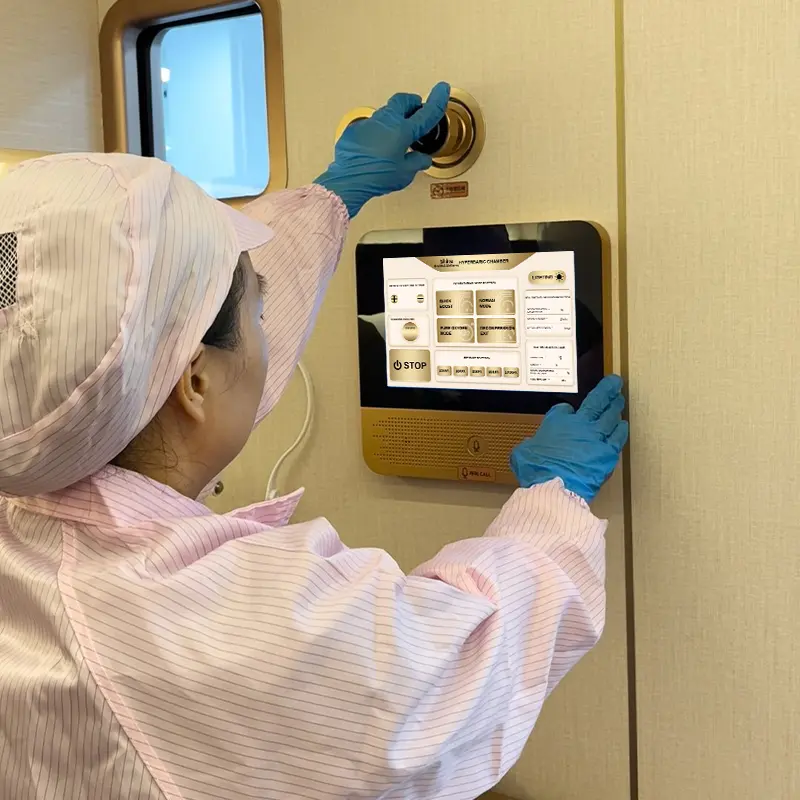
Three years of warranty support for your chamber
The warranty period is three years. The agreed start date, covered equipment and service responsibilities should be recorded in the written terms for your order. If those details are missing or unclear, ask Ueerl to confirm them against your purchase records.
- Warranty period
- Three years, with the start and end dates identified from the agreed warranty terms for your order.
- Equipment identification
- Your model, chamber serial number and supplied configuration help identify the equipment involved in a request.
- Support channel
- Contact Ueerl by email or WhatsApp. Include your order reference and a description of the issue.
Retain the invoice or order confirmation, equipment labels, installation or handover records where available, and written warranty terms. These help the owner and any designated staff explain the purchase and service history.
Identify the equipment or part involved
A chamber system can include the chamber body, operating controls, compressor, oxygen source, cooling equipment and accessories. Tell us which item is affected rather than describing the entire system as “not working.”
Ueerl reviews the reported fault and the applicable warranty terms before confirming the service arrangement. This section helps you identify a request; it does not declare identical coverage for every accessory or component.
- Chamber and operating components
- For a closure, control, communication or other chamber issue, provide the chamber model and serial number, the affected function and any displayed warning.
- Supporting equipment
- For a compressor, oxygen-source or cooling issue, include that unit’s label and the exact symptoms. Its identification is important even when it was supplied with the chamber.
- Consumables and wear components
- Filters, breathing accessories, hoses and seals can have maintenance or replacement requirements. A scheduled replacement and a suspected component fault are different requests; explain the condition and ask about the applicable terms.
- Customised configurations
- Include the order specification when the equipment has customised controls, seating, finishes or accessories. This helps support identify the supplied parts and service requirements.
How to request warranty service
Start by contacting Ueerl. A request provides the information needed for assessment; the service method and any relevant costs are confirmed after the equipment and issue have been reviewed.
Report the issue
Send your model, serial number, purchase reference and a clear description. Say when the problem appeared and whether it affects safe operation.
Share useful evidence
Provide the complete warning text, label photos and safe images of the affected area. Include recent maintenance or equipment changes and any instructed actions already taken.
Review the technical guidance
Support may request further information or guide you through checks permitted for your equipment. Do not disassemble a service enclosure or repeat a fault to obtain a recording.
Confirm the service arrangement
Ask for written confirmation of the proposed action, warranty coverage, parts or labour responsibilities, logistics and any charges before work or shipment begins.
Complete the agreed work
Follow the confirmed instructions for repair, approved part replacement or return of a component. Technical work should be performed by the appropriate service personnel.
Keep the service record
Retain the findings, work completed and return-to-use instructions. Complete the required checks before operating the chamber again.
Follow your model’s instructions if an issue occurs while someone is inside. Warranty enquiries are not an emergency channel. For immediate danger, activate the local emergency response and the trained chamber procedure.
Repair, replacement and service logistics
The practical service route depends on the affected item, technical findings and equipment location. Confirm the arrangements for your request before buying a part, booking a technician or shipping equipment.
Remote technical guidance
Support can review the reported symptoms, equipment identification and available evidence. Remote guidance may help clarify the issue; a photo or video alone does not establish that a repair is complete.
Approved parts or repair
If a part or repair is proposed, confirm the exact component, compatibility, installation responsibilities and checks required afterwards. Do not substitute a similar-looking part.
On-site or return arrangements
Where an inspection, visit or component return is needed, confirm the destination, packaging, transport responsibilities, timing and costs with the team before proceeding.
A three-year warranty statement does not by itself specify who pays travel, freight, duties, on-site labour or consumable costs. Those responsibilities should be confirmed in the applicable written terms and service arrangement.
Help support understand the cause
Describe what happened and the equipment’s service history. This helps distinguish a fault from routine maintenance, accidental damage or a change to the installed configuration.
Do not assume a claim is accepted or rejected from a single symptom. Share the facts and ask Ueerl to explain the assessment and applicable terms.
Useful information for the review
- When the issue first appeared and the operating stage.
- Any impact, water exposure, power interruption or relocation.
- Recent cleaning, maintenance, part replacement or adjustments.
- Any work carried out by another service provider.
- Changes to accessories, connections or supporting equipment.
For damage noticed on delivery, also retain photos of the packaging and receiving records. Contact Ueerl promptly so the relevant shipping and service arrangements can be reviewed.
Support after the three-year warranty period
You can still contact Ueerl about operating questions, maintenance guidance, parts and service coordination after the warranty period. Ask the team to confirm the available assistance and any costs for your equipment.
Keep following the maintenance schedule throughout ownership. A warranty period is not a replacement interval or a statement that maintenance can be postponed.
Warranty questions
How long is the Ueerl warranty?
Ueerl provides a three-year warranty for its hyperbaric oxygen chambers. Keep the written start date, equipment scope and service terms for your order with your purchase documents.
When does the three-year period begin?
Use the start date agreed in your written order or warranty documents. If it is not stated, send your purchase and handover records to Ueerl and request confirmation. Do not assume the invoice, delivery and installation dates are interchangeable.
Are filters and breathing accessories covered?
Check the terms for the specific item and the reason for replacement. Routine replacement and a reported fault are different situations. Send the accessory identification and condition so Ueerl can review the request.
Does the warranty include an engineer visit or shipping?
Confirm this from your order terms and the proposed service arrangement. Travel, on-site labour, freight and duties can involve separate responsibilities. Ask for written clarification before booking or sending anything.
Can I repair the equipment before contacting Ueerl?
Contact Ueerl first to agree on the technical route and warranty arrangements. Carry out only the routine tasks assigned to you in the equipment instructions. Keep records of any work already completed.
What if I cannot find my invoice?
Send the model, serial number, buyer or company name, approximate purchase date and any order or delivery records you have. Ask support to help identify the purchase and explain which additional information is needed.
What if I bought through a dealer or project partner?
Include the seller’s name and purchase documents when requesting help. Contact that seller about the service terms supplied with your order. Ueerl can review the equipment details and help clarify the appropriate support channel.
Can I send a component back immediately?
Contact support before sending it. Confirm the required assessment, return address, packaging, documentation and transport responsibilities. A component may require technical instructions for safe removal and handling.
Contact Ueerl about a warranty request
Tell us which chamber you own and what has happened. Include the purchase reference and equipment identification so the team can review the relevant warranty and technical information.
WhatsApp opens a draft for you to complete and send. It does not submit a claim or approve warranty service automatically.
Send these details
- Chamber model and serial number.
- Order reference, invoice or available purchase records.
- Label photo for any affected supporting unit.
- Issue description, first occurrence and exact warning if present.
- Safe photos and relevant maintenance or service records.
- Your location and preferred contact method.
Use one description for the issue and keep follow-up messages with the same order or support reference. For sites with several chambers, state which serial number is affected.