
Hyperbaric Chamber After-Sales Support
Ueerl helps chamber owners with operating questions, troubleshooting, maintenance information and replacement-part coordination. Contact us with your equipment details to identify the next step for your chamber.
Whether you need help understanding a control, reporting a fault or arranging service, start here. Technical guidance and service arrangements depend on your model, supplied configuration and agreed project scope.
What can Ueerl help you with?
Describe what you need to do or what has changed. An operating question, a routine replacement and an equipment fault need different information and may require different support.
Operating guidance
Ask about controls, displayed information, accessories or the routine described in your equipment instructions. Include your model so guidance matches the chamber you own.
Read the user training guide →Fault assessment
Report a startup problem, warning message, unexpected pressure behaviour or another equipment issue. Support can review the symptoms and advise which checks or service steps are appropriate.
Prepare a fault report →Maintenance guidance
Get help finding the cleaning, inspection and replacement requirements for your configuration. Service intervals and permitted cleaning methods should come from the relevant equipment instructions.
Read the maintenance guide →Parts and consumables
Request help identifying a filter, seal, hose, breathing accessory or other supplied component. Confirm the part specification, availability and fitting requirements before ordering.
See how parts are identified →Training enquiries
Discuss additional guidance when a new owner or staff member will operate the chamber. Explain the equipment, location and tasks to be covered so the appropriate training arrangement can be discussed.
Plan operator training →Warranty and service
Submit an equipment issue for review under Ueerl’s three-year warranty. The applicable written terms and technical findings determine the proposed service and cost responsibilities.
Understand warranty support →If someone is inside, follow the model’s instructions and the procedure covered in operator training. Do not improvise a valve sequence or force the door. For immediate danger, use the local emergency response; email and WhatsApp are not emergency channels.
How an after-sales request is handled
Send the equipment details first. They help the team identify the installed system before recommending an action or discussing a repair.
Explain the request
Share your model, serial number, location and order reference. Say whether you need operating guidance, a part, maintenance advice or help with a fault.
Provide the relevant evidence
For an issue, include the exact message or symptom, when it appeared and which unit is affected. Label photos and existing images can help; do not recreate a fault to record it.
Review the available guidance
The team may request more information or discuss checks permitted for your equipment. Remote guidance has limits: some faults require inspection or work by service personnel.
Agree on the service route
If further work is needed, confirm the proposed action, parts, responsible technician, logistics and any costs in writing. Timing depends on the assessment and arrangements for your location.
Complete the agreed work
Follow the confirmed instructions for maintenance, repair, part replacement or a component return. Keep records of the work and any parts fitted.
Confirm the return-to-use checks
Complete the checks specified for the work performed before another session. If the original symptom remains or a new warning appears, report it rather than treating the repair as complete.
What should you send to support?
Send enough information to identify both the equipment and the problem. “The chamber is not working” does not show whether the issue is with the controls, air supply, oxygen source or another component.
For example, “The oxygen unit shows this warning when switched on” is more useful when accompanied by the unit’s label and the full warning text. Include the operating stage and whether the chamber was occupied when the issue appeared.
A number such as “2.0” is ambiguous by itself. Send the full display or write the measurement name and unit exactly as shown. The support team needs that context to interpret it.
Your support checklist
- Equipment: chamber model, serial number and the affected unit’s label.
- Purchase: order reference or invoice, and seller’s name if purchased through a partner.
- Location: country, city and a contact person for the equipment.
- Issue: exact symptoms, complete warning text and when the issue first appeared.
- Context: recent maintenance, power interruption, relocation or changes to the system.
- Evidence: clear photos or an existing video that can be shared safely.
- Previous actions: what was checked or changed, by whom, and the result.
Avoid including occupants’ faces, health records or other personal information in technical photos unless it is necessary for the enquiry.
Help for new operators and daily care
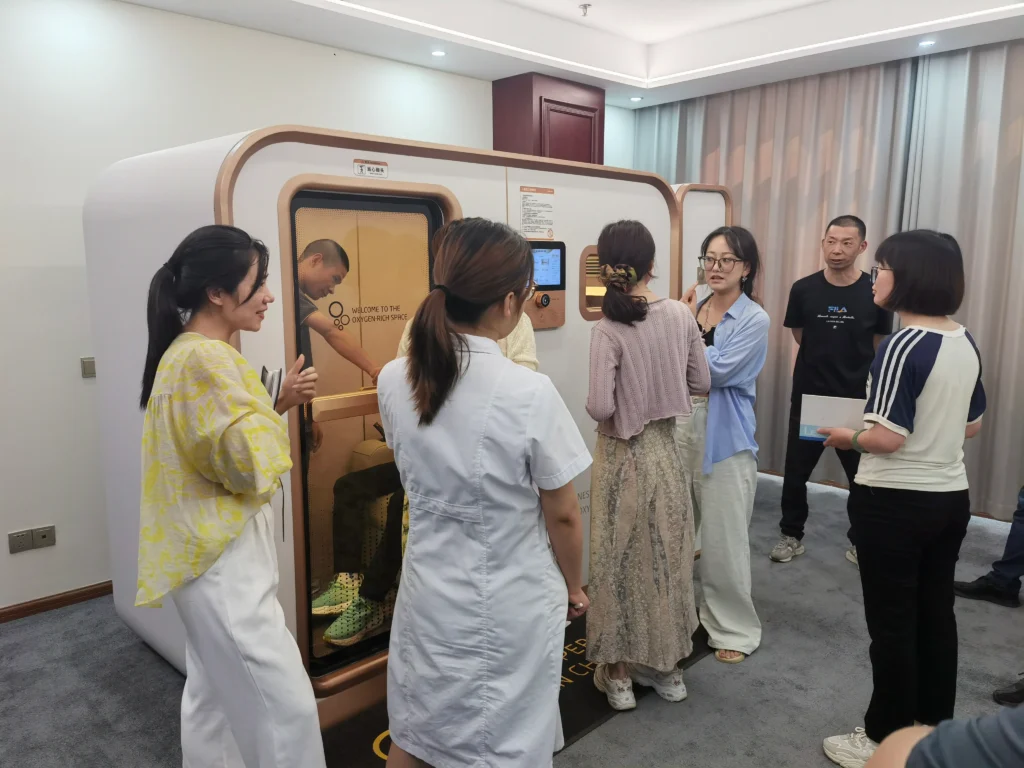
A new operator should learn the installed chamber’s routine before taking responsibility for a session. Reading a general webpage alone does not establish that someone is ready to operate the equipment.
- Identify the controls, displayed measurements and communication system.
- Review the permitted pre-use checks and normal operating routine.
- Understand the model-specific response to warnings and interruptions.
- Learn which cleaning and maintenance tasks belong to the owner and which require technical service.
Contact Ueerl to discuss refresher guidance, missing operating documents or training for additional staff. Confirm the format, scope and any charges for your project.
Explore user training →Replacement parts and repair coordination
Match a replacement to the supplied equipment before fitting it. A hose, filter or electrical component can look similar while having different connection, material or operating requirements.
Send the component label, chamber serial number and photos of the installed part. Ask Ueerl to confirm compatibility, availability, delivery arrangements and who should perform the replacement.
Confirm the return address, required documentation, packaging and removal instructions with support. Do not remove a component from a pressurised or operating system.
- Remote technical guidance
- Useful for reviewing equipment information, understanding symptoms and discussing permitted checks. It cannot replace a physical inspection when the condition cannot be established remotely.
- Component repair or replacement
- Confirm the exact part and the work required. Some items can be routine owner replacements; other work requires appropriate technical personnel and follow-up checks.
- On-site service enquiries
- Availability depends on the equipment, destination and agreed scope. Discuss access, the work required, travel, labour and scheduling before booking a visit.
- Service records
- Keep the findings, instructions, parts replaced and checks completed. These records help explain the equipment history if further support is needed.
Three-year warranty and continued support
Ueerl provides a three-year warranty for its hyperbaric oxygen chambers. Keep the agreed start date, equipment scope and service terms with your order documents.
You can also contact Ueerl after the warranty period about operating questions, maintenance information and parts or service enquiries. Ask the team to confirm the assistance available and any charges.
Confirm the arrangement before work begins
A technical support request and an approved warranty service are different stages. The equipment details, reported issue and applicable written terms need to be reviewed.
- Which work or part is proposed, and whether it is covered.
- Who performs the work and what checks follow it.
- Who is responsible for labour, freight, travel, duties or other costs.
- The expected schedule once parts and logistics are confirmed.
Contacting support does not automatically mean a new part, on-site visit or transport is provided free of charge.
After-sales support questions
How do I contact Ueerl after purchasing a chamber?
Email info@ueerl.com or use WhatsApp at +86 199 2877 4103. Include your chamber model, serial number, order reference and the help you need. If a separate unit is affected, include its label too.
Can Ueerl help remotely?
Ueerl provides technical communication and troubleshooting guidance according to the equipment and project. Share the relevant details so the team can discuss suitable checks. Some issues need an inspection, part replacement or service visit rather than remote guidance alone.
Can an engineer come to my location?
Contact Ueerl to discuss availability for your equipment and destination. Confirm the proposed work, scheduling, travel and labour responsibilities before arranging a visit. An on-site visit should not be assumed to be included in every support request.
Is all after-sales service free during the three-year warranty?
Coverage and cost responsibilities follow the applicable written warranty terms and the assessed issue. Confirm parts, labour, shipping and any on-site costs before work begins. Routine consumable replacement and a warranty fault are different requests.
Can I buy a replacement part from another supplier?
Confirm suitability with Ueerl before fitting a substitute. Matching appearance or dimensions alone does not establish compatibility. Provide the original part details and ask which specification and fitting procedure apply.
Can support help if I bought through a dealer?
Send the seller’s name, purchase documents and equipment details. Also contact the seller about the service arrangements agreed at purchase. This helps clarify the appropriate channel and responsibilities for your order.
What if I move the chamber or change its accessories?
Discuss the proposed change with Ueerl beforehand. A new room, power supply, connection or accessory can affect the installation requirements. Ask what planning, technical work and checks are needed before using the changed configuration.
Does technical support choose pressure or session duration for me?
Equipment support explains operation and service requirements. Personal suitability and treatment decisions require a qualified healthcare professional. Do not use a support webpage, example display or another owner’s settings as your treatment plan.
Contact Ueerl after-sales support
Tell us which chamber you own and what you need help with. Start with the model, serial number and issue description; the team can request further information relevant to your equipment.
For immediate danger, contact local emergency services and follow the trained chamber procedure. Do not wait for a message response.
Keep one clear request history
If you have already contacted Ueerl, reply in the existing conversation and quote any reference provided. Include new findings or photos there so the equipment details and previous guidance remain together.
For a commercial site, nominate a contact person who can access the chamber records and coordinate with the operator or technician. This helps avoid conflicting accounts of what has been checked.