
Hyperbaric Chamber Troubleshooting
Find the issue you are seeing, check what your operating instructions allow and prepare the information Ueerl needs to help.
This guide covers startup, door, pressure, oxygen-system, alarm, cooling and communication questions. Exact fault codes and response procedures depend on your chamber and its supporting equipment.
First, check whether anyone is inside
If someone is inside the chamber, their safety and communication with the operator come before troubleshooting. Follow the response procedure taught for your installed model.
Problem found before use
Keep the chamber unoccupied while reviewing the manual and carrying out permitted checks. Do not start a session with an unresolved required check or unexplained warning.
Problem during a session
Inform the operator immediately. Follow the trained response and safe ending procedure. Do not disconnect equipment, adjust fittings or start a repair while the chamber is occupied or pressurised.
Fire, serious symptoms or immediate danger
Activate the local emergency response and follow the chamber’s trained emergency procedure. Email and WhatsApp are support channels, not emergency-response services.
Use them only as specified for the situation in your model’s instructions. Do not assume that turning off the power makes the chamber safe to open. Never force the closure.
What is happening with your chamber?
Choose the closest description. These checks help you describe an issue and review permitted operator actions; they do not identify a failed component or replace your model’s instructions.
The chamber will not start, or the screen is blank
First identify which unit is not responding: the chamber display, compressor, oxygen source or another fitted unit. One unit being powered does not confirm that the complete system is ready.
Checks before use
- Review the startup sequence and required ready conditions in your manual.
- Confirm the site’s power availability through its normal procedure.
- Look for visible damage to accessible leads and plugs without opening equipment.
- Record any indicator that lights up, sound or message when the issue occurs.
Get technical help when
The instructed startup cannot be completed, a lead is damaged, a protective device trips, or there is unusual heat or a burning smell. Do not repeatedly reset a breaker or open an electrical enclosure.
Send support: affected unit, label photo, screen or indicator photo and the last startup step completed.
The door will not close or will not open
Do not force the door. Before opening, confirm every safe-opening condition specified in your manual; the timer ending or the screen switching off is not enough.
Checks with the chamber unoccupied and safe to inspect
- Review the closure procedure for your door type.
- Look for visible debris, trapped items or seal displacement in the areas the manual allows you to inspect.
- Note whether the problem began after cleaning, moving the equipment or a service visit.
Get technical help when
The door binds, a seal is damaged, the closure does not behave as instructed, or it will not open after the prescribed conditions are confirmed. Do not add lubricant, adjust the mechanism or override a safety function without instructions.
Send support: whether opening or closing is affected, pressure display with its unit, closure photos and recent changes.
Pressure does not rise as expected
Compare the observed behavior with the startup procedure for your model. Slow or absent pressure rise alone does not tell you whether the cause is the closure, air supply, control state or another component.
Checks before another session
- Identify the current reading, target reading and unit displayed.
- Review the trained closure and startup checks.
- When fully depressurised and safe to inspect, look for visible hose damage, crushing or sharp bends.
- Record the supporting unit’s indicators and any warning.
Get technical help when
Pressure behavior differs from the instructions or a required check fails. Do not increase the target to compensate, alter a valve or disconnect a pressurised hose.
Send support: reading and unit, elapsed time, target, operating stage and any associated message. Do not recreate the fault just to record it.
Pressure changes unexpectedly, or there is an unfamiliar air sound
A sound on its own is not a diagnosis. Explain where it comes from, when it occurs and whether the pressure behavior or a warning has also changed.
Information to check
- Identify the operating stage: startup, session, normal ending or standby.
- Record whether the sound is new or different from the usual trained routine.
- After the safe ending procedure, note visible damage around accessible hoses, connectors or seals.
Get technical help when
Pressure is unstable, the sound is persistent or new, or there is visible damage. Do not block an air opening, seal a suspected leak with tape or use a flame or unapproved spray to look for leaks.
Send support: location of the sound, operating stage, displayed readings and an existing safe recording if available.
An oxygen reading, flow reading or oxygen-source warning looks wrong
Identify what the reading measures before interpreting it. Oxygen-source output, breathing-accessory flow and cabin oxygen information are different measurements where fitted.
Checks permitted by the equipment instructions
- Read the exact label, value, unit and warning on the affected unit.
- Compare its status with that unit’s documented ready conditions and limits.
- With the equipment in the prescribed safe state, visually check accessible breathing hoses for damage or kinks.
- Identify the accessory supplied with your configuration.
Get technical help when
A warning persists, the reading is outside the specified limits or the approved accessory is damaged. Do not increase flow to compensate, substitute an oxygen source or bypass a warning.
Send support: oxygen-unit label, exact display, accessory identification and when the warning appeared.
An alarm sounds, or an unfamiliar message appears
Follow the response for that warning in the instructions for the unit displaying it. If its meaning is unclear, do not guess from a similar-looking code on another product.
Record the warning
- Capture the complete text or code, not only its colour.
- Identify which screen or unit produced it.
- Note the operating stage, time and readings visible at the time.
- Describe any action already taken under the manual’s procedure.
Get technical help when
The code is not explained in your documentation, the warning returns or the prescribed response cannot be completed. Do not silence or reset it simply to continue a session.
Send support: full warning, unit model and serial number, operating stage and actions taken.
The chamber is too warm, cooling is not working, or moisture appears
Identify the fitted cooling system and report the conditions it is operating in. Room conditions, equipment state and the installed configuration matter; there is no universal adjustment on this page.
Checks before use
- Review the cooling controls and permitted operating conditions in your instructions.
- Check that required air openings and clearances are unobstructed.
- Note room and displayed cabin temperature where available.
- Record where moisture appears and whether it is near electrical equipment.
Get technical help when
Cooling performance changes unexpectedly, moisture reaches electrical areas or the conditions are outside the equipment’s limits. Do not open a cooling enclosure or modify a drain without guidance.
Send support: cooling-unit label, settings, room conditions, duration of use and location photos.
A control or the communication system is not responding
Do not begin a session if a required control or communication check fails. A working entertainment screen does not confirm that communication with the operator is available.
Checks before use
- Identify the affected function and whether it is inside or outside.
- Review which controls are available in the current operating mode.
- Use only the communication test and user-adjustable settings specified in your instructions.
- Note whether other screen functions respond.
Get technical help when
The required test fails, controls freeze or a function behaves differently from the documented routine. Do not continue by assuming the internal and external controls can substitute for each other.
Send support: affected control, panel location, operating mode, display photo and test result.
The power fails while someone is inside
Follow the power-failure response taught for your exact model immediately. Do not apply another brand’s automatic-opening or pressure-release behavior to your Ueerl chamber.
During the incident
The operator should maintain the trained supervision and communication arrangement and follow the prescribed response. For immediate danger or a medical emergency, activate the local emergency response.
Before restarting
After the incident is safely resolved, identify whether the site supply or an equipment fault was involved. Complete the required recovery checks and seek guidance if the cause is unexplained. Do not power-cycle the system as an improvised response while occupied.
Send support afterwards: affected units, outage time, operating stage, actions taken and any warnings on recovery.
Send the reading with its label and unit
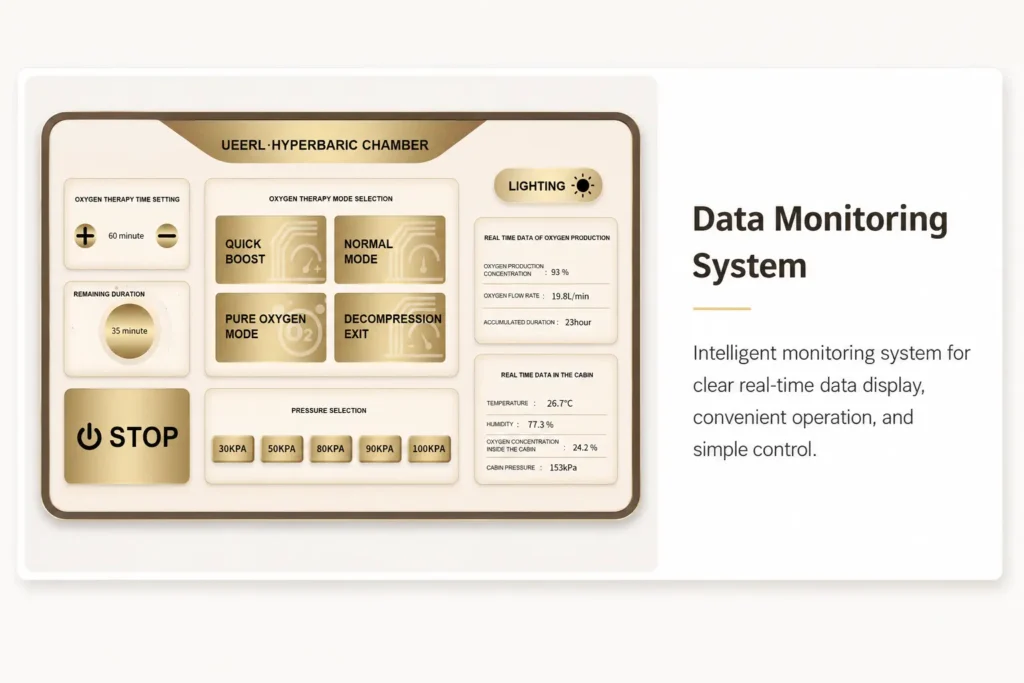
A number alone can be misleading. For example, “the oxygen display shows 93” omits whether the display refers to source output, cabin information or another function.
A complete screen photo helps support see the surrounding labels, units, current mode and warning text. Take it only when doing so is safe.
A useful issue description
- What: the exact function or unit affected.
- When: startup, during use, ending or standby.
- Reading: the value, label and displayed unit.
- Change: what differs from the usual instructed routine.
- Context: recent cleaning, servicing, relocation or power interruption.
Describe observations separately from guesses. “The screen stayed blank during startup” is more useful than “the main board is broken.”
What if the person inside feels unwell?
Tell the operator immediately and follow the trained response. Ear pain, breathing difficulty or other symptoms should not be treated as a setting problem to solve by trial and error.
Seek appropriate medical assistance for severe or persistent symptoms. Equipment support can help assess chamber behavior; a qualified healthcare professional should assess the person’s condition.
Request help with your Ueerl equipment
Ueerl provides technical communication, troubleshooting guidance and parts coordination according to your equipment and project. Send a clear description so the team can identify the relevant instructions and next step.

Include these details
- Chamber model, serial number and order reference if available.
- Label photo for the affected supporting unit.
- Exact warning, reading and displayed unit.
- When the issue appeared and whether anyone was inside.
- Safe photos of the overall equipment and relevant area.
- Recent maintenance, changes and actions already taken.
- Your location, time zone and preferred contact language.
Do not reproduce a fault, pressurise the chamber or open a service enclosure just to make a video. Avoid including user faces or medical information that is unnecessary for equipment support.
The WhatsApp button opens a message draft for you to review. Response times, parts availability, service format and charges require confirmation.
Before the chamber returns to use
Complete the corrective action and checks specified in the manual or service instructions. A warning disappearing is not, by itself, confirmation that the equipment is ready.
Confirm the action
Record what was checked or changed, by whom, and any instructions supplied for the equipment.
Complete required checks
Follow the prescribed return-to-use checks and any technical approval needed. Do not invent a test session.
Update the operating record
Keep the fault description, support reference and outcome. Brief other operators on any changed instructions before the next session.
Troubleshooting questions
Can I restart the chamber to clear an alarm?
Only when the instructions for that warning permit it and the equipment is in the required safe state. Repeated restarting can erase useful context without resolving the cause. Never use a restart as an improvised response while the chamber is occupied.
Where can I find the meaning of an error code?
Use the instructions for the unit displaying it. The chamber, oxygen source and cooling unit may have different code systems. If the code is missing from your documentation, send the full message and unit label to Ueerl.
Can I adjust a valve or replace a component myself?
Only carry out the tasks explicitly assigned to a trained owner in the equipment instructions. Pressure-system adjustments, internal electrical work and safety-device servicing require the appropriate service expertise.
Should I increase pressure or oxygen flow if a reading seems low?
No. Do not change settings to compensate for an unexplained reading. Identify the measurement, compare it with the unit’s documented conditions and follow the relevant response procedure.
Is an equipment problem covered by the warranty?
Coverage depends on your sales agreement, the affected component and the assessment of the issue. Send the equipment details and observations first so Ueerl can confirm the applicable service arrangements.