
Hyperbaric Chamber Maintenance Guide
Maintain your Ueerl chamber with routine checks, approved cleaning methods and the service schedule for your installed equipment.
This guide explains what owners and staff should look after, which changes need attention and when to contact technical support. Keep your chamber manual and the instructions for its compressor, oxygen source and accessories alongside this page.
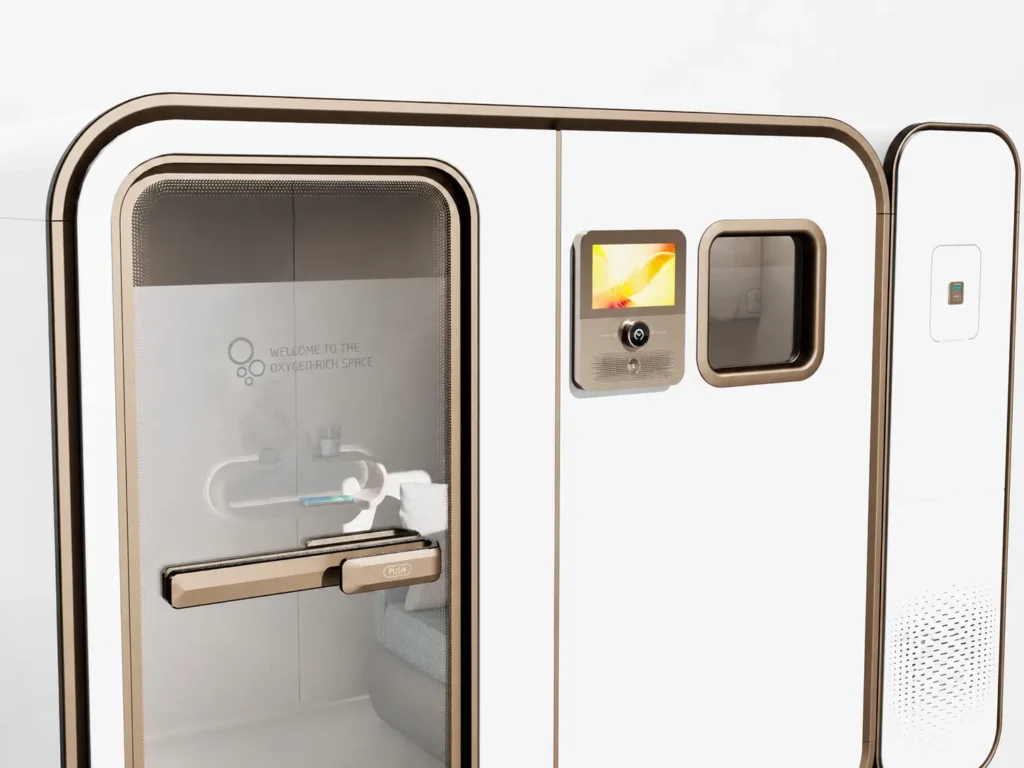
What maintenance does a hyperbaric chamber need?
It needs cleaning, checks for wear or damage, care of the supporting equipment and scheduled technical service. These tasks serve different purposes: a clean seat does not tell you whether a pressure-control component is working correctly.
Clean the user-contact areas
Look after the seating, interior surfaces, handles and approved breathing accessories. Use the method specified for each material and accessory.
Inspect before operation
Check the closure, visible seals, connections, displays and communication system as taught during handover. Resolve a failed check before starting.
Service at the specified interval
Track the calendar dates or operating hours required by your manuals. Arrange filter replacement, component checks and technical work with the appropriate person.
Chambers can have different filters, oxygen sources, cooling systems and accessories. If the schedule or approved cleaning product is unclear, send Ueerl your model and serial number before choosing a substitute.
Organise care around use, condition and service dates
Start with the intervals in your manuals. The routine below helps you organise the work; it does not set replacement dates for every Ueerl chamber.
Before each session
Complete the trained pre-use checks. Look for visible damage, loose or damaged connections, unexplained warnings and anything that prevents the closure or communication system from working as instructed.
After use and between users
Complete the normal ending sequence before care begins. Clean contact surfaces and process breathing accessories according to their instructions and your shared-use hygiene procedure.
At the scheduled interval
Carry out the inspections and consumable changes listed for your chamber and supporting equipment. Record the work and the next due date or hour reading.
After damage or an abnormal event
Report the condition and arrange assessment before further use. A restart that clears a warning does not establish that the cause has been corrected.
For example, a chamber used for several sessions each day can accumulate operating hours faster than one used occasionally at home. Record hours where available instead of relying only on the purchase date.
Check these areas before starting
Use the checklist taught for your chamber. Visual checks help identify obvious problems; they do not replace scheduled tests or technical inspection.
If a problem appears during use, follow the trained response and safe ending procedure for your model. Never force the door or improvise a pressure-release sequence.
- Door, closure and visible seals
- Check for debris, displacement, cuts or other visible deterioration in the areas identified in the manual. The closure should operate as instructed. Do not use extra force to compensate for resistance.
- Viewing surfaces and chamber body
- Look for cracks, impact damage or changes that obstruct inspection. Report new damage rather than trying to polish, glue or patch a pressure-bearing surface.
- Hoses, connectors and power leads
- Look for visible wear, crushing, kinks or damaged connectors. Check connections according to your trained procedure; do not tighten or disconnect pressurised fittings.
- Displays and communication
- Check the indicators and communication function required by your procedure. A missing reading, unexpected message or failed communication check needs attention before use.
- Equipment surroundings
- Keep the required ventilation and service clearances available. Do not cover air openings or store objects where they obstruct the chamber entrance or supporting equipment.
How should I clean the chamber?
Use only the products and methods approved for your chamber’s materials. Clean with the chamber unoccupied and fully depressurised, after completing the prescribed shutdown and any required power isolation.
Cleaning removes dirt and residue. Disinfection addresses microorganisms using a suitable product and method. Shared-use facilities should define both processes, including which accessories are single-use or assigned to an individual.
- Seats, armrests and handles: follow the approved surface-care method. Pay attention to areas that users touch.
- Windows and transparent surfaces: use the specified non-abrasive materials. Household glass cleaner is not automatically compatible.
- Screens, controls and ports: do not spray liquid directly onto them or allow cleaning fluid to enter openings.
- Before the next session: complete the drying, residue-removal and reassembly requirements in the cleaning instructions.
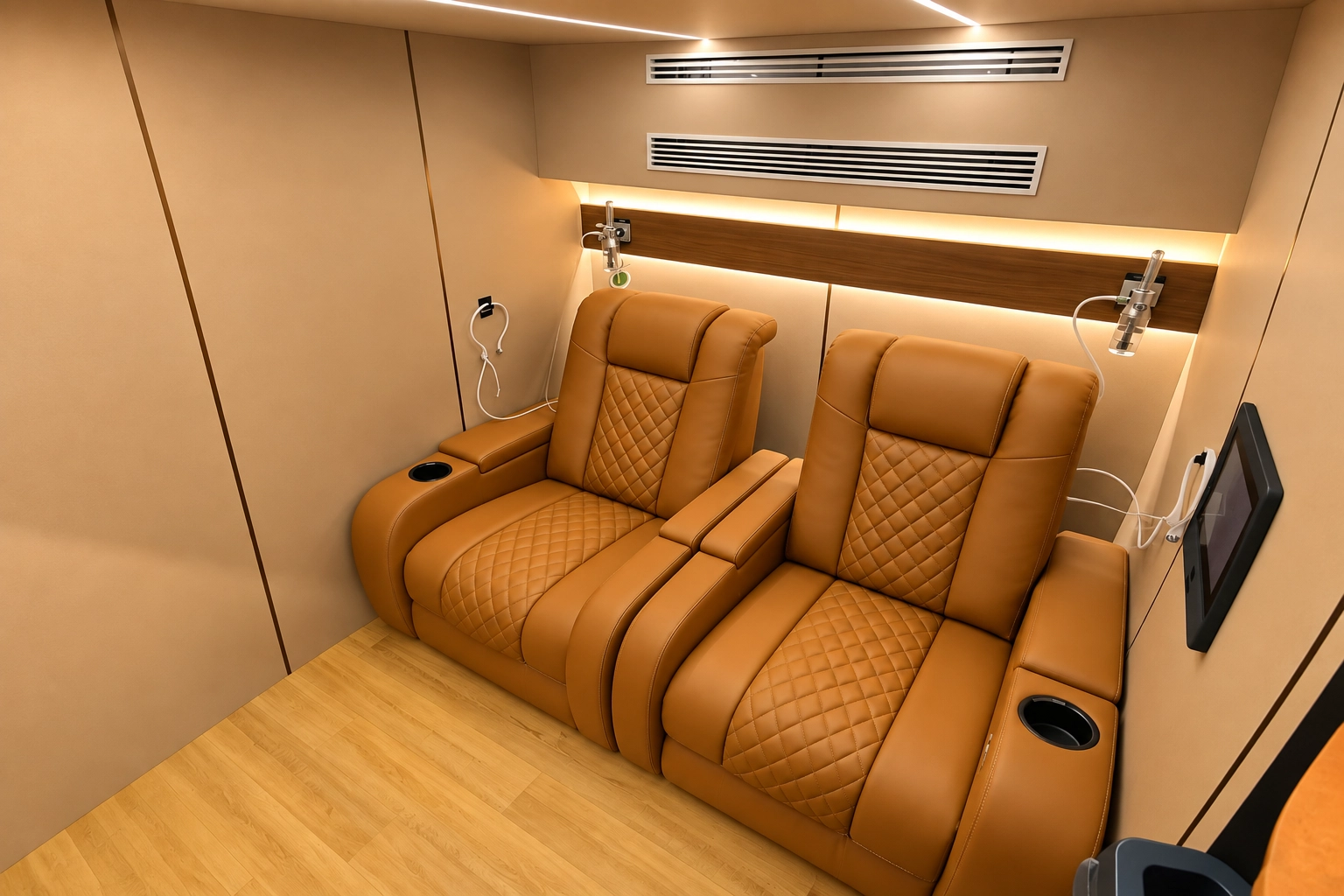
Make cleaning repeatable
Keep a written cleaning procedure beside the equipment so different staff follow the same approved method.
Make the equipment ready for cleaning
Confirm the chamber is unoccupied and safe to open. Complete the shutdown and isolation steps specified for the equipment before beginning.
Check the product and surface instructions
Confirm the product is approved for that surface. Follow its specified dilution, application and contact time where applicable; do not invent a stronger mixture.
Process accessories separately
Follow each accessory’s instructions for cleaning, disinfection, replacement or disposal. A method suitable for upholstery may not suit a mask or hose.
Inspect and record completion
Check for remaining moisture, residue or visible damage. Refit only the items permitted by your procedure and record any issue that needs follow-up.
Alcohol, solvents, abrasive products, oily cleaners and sprays may be unsuitable for particular chamber materials or oxygen equipment. Obtain approval for the exact product and application. Do not mix cleaning chemicals.
Filters, seals and supporting equipment
Use the correct part and service method for each component. A similar-looking filter or connector may have a different specification.
Air and oxygen-system filters
Identify each filter from the equipment documentation. Some filters may be serviceable by a trained owner; others require replacement or technician access. Do not wash a filter unless its instructions explicitly allow it.
Door seals and closure components
Report visible wear or a change in closure behavior. Ask Ueerl to identify the approved replacement and who should install it. Do not add oil, grease, adhesive or lubricant without explicit instructions.
Compressor and oxygen source
Follow the separate care instructions supplied for these units. Keep required air openings clear and report alarms, unusual heat, sound or output readings. Internal servicing belongs with qualified personnel.
Cooling and ventilation
Where fitted, follow the specified checks for filters, drains and cooling equipment. Report unexpected moisture or reduced performance. Do not assume every model has the same condensate arrangement.
Controls and safety devices
Use the documented inspection and test procedure. Adjustment, calibration and safety-device servicing should be carried out by the person designated in the maintenance instructions.
Approved replacement parts
Provide the chamber serial number, component label and clear photos before ordering. Confirm compatibility, installation requirements and any checks needed before returning the equipment to use.
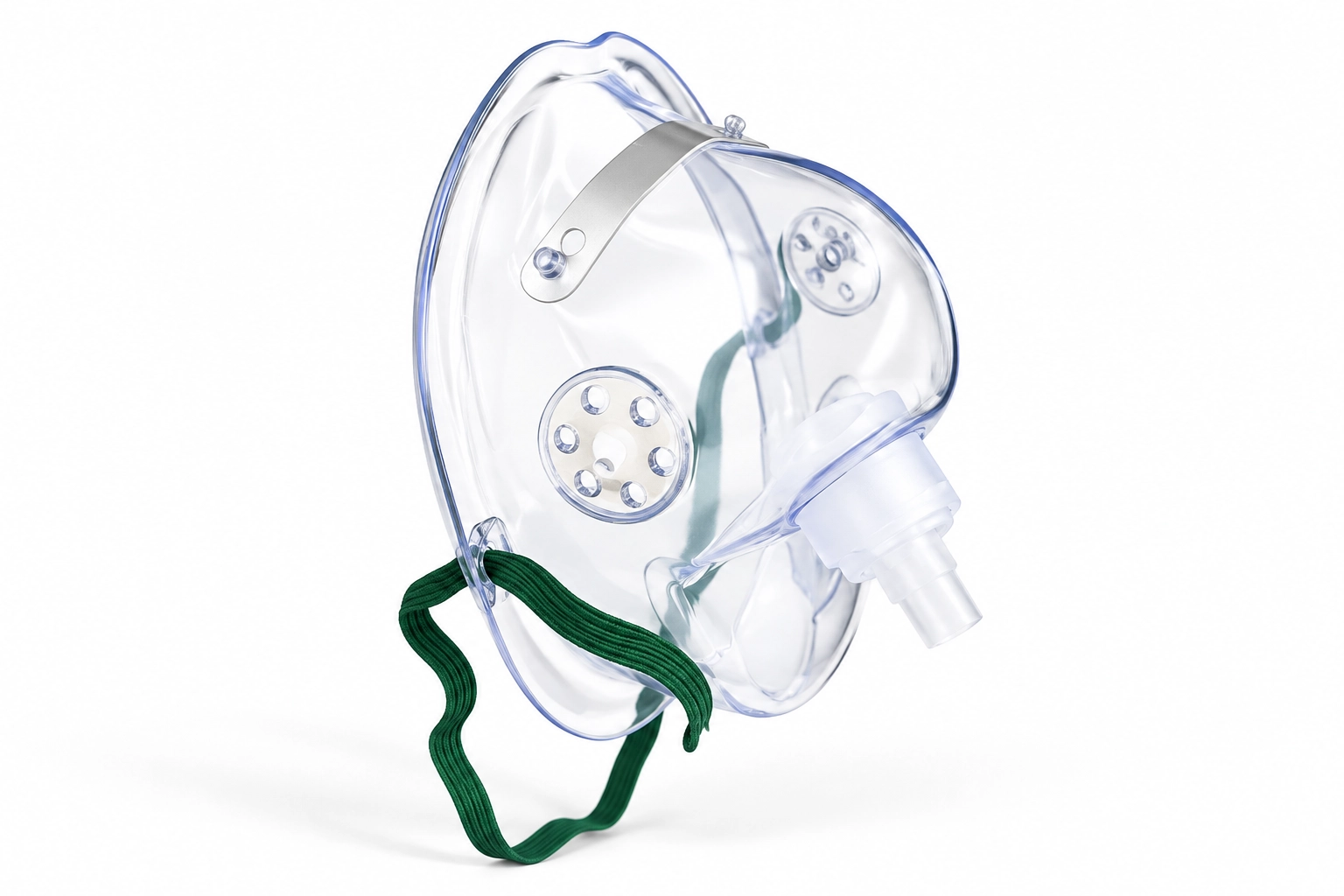
Give breathing accessories their own care routine
A mask, headset or breathing hose needs the care method specified for that accessory. Do not assume it can be soaked, disinfected or reused because the chamber’s interior can be cleaned.
- Confirm whether each item is reusable, single-use or assigned to one person.
- Inspect for visible damage, deterioration or contamination as instructed.
- Follow the specified drying and storage method after approved cleaning.
- Replace damaged items using an approved compatible part; do not tape over damage or modify a connector.
Ask support about the complete accessory and its part identification. A photo alone does not establish the correct maintenance method.
When should I stop using the chamber?
Do not begin another session when damage, a failed safety check or an unexplained fault could affect operation. If the chamber is occupied, follow your trained response first; do not perform maintenance during a session.
Damage or closure problems
Cracks, impact damage, a displaced seal or a door that no longer operates as instructed need assessment. Do not force the closure or make a temporary repair to continue using it.
Alarms or changed performance
Record the exact warning and when it appeared. Report unexplained pressure behavior, unusual equipment noise, heat or readings outside the limits specified for your equipment. Do not bypass an alarm.
Electrical or communication faults
Damaged leads, smoke, a burning smell or failed required communication need prompt attention. For fire or immediate danger, activate the local emergency response and the trained chamber procedure.
Follow the checks and authorisation required by your service instructions before the next session. Keep the service findings and completed actions in the equipment record.
What can an owner maintain?
An owner or trained staff member can perform the tasks assigned to them in the manuals. Pressure-system repairs, internal electrical work and calibration require the appropriate service expertise.
Routine owner and staff tasks
- Approved cleaning and accessory care.
- Documented visual checks and trained pre-use checks.
- Recording operating hours, warnings and completed maintenance.
- Consumable changes explicitly permitted by the instructions and training.
Tasks to refer for technical service
- Pressure-control or safety-valve adjustment and repairs.
- Internal wiring, electrical enclosure access and component repairs.
- Calibration and specified technical testing.
- Structural, viewing-surface or closure repairs requiring specialist assessment.
Keep a record that helps the next operator
Use one maintenance record for each chamber and identify its supporting units. In a shared-use facility, assign responsibility for checking due tasks and unresolved faults.
Model, serial number and the supporting unit or accessory involved.
Date of the check and operating-hour reading where available.
Inspection, approved cleaning, part replacement or technical service.
Condition observed, exact alarm text and photos when helpful.
Who completed the work, the part used and any support reference.
Next due date or hour reading, outstanding issue and return-to-use status.
Example entry structure: “Date · Chamber serial · Hour reading · Task · Finding · Action · Person · Next due.” Complete it with your equipment’s actual requirements.
Before a longer break or after moving the equipment
Follow the model’s shutdown, storage and recommissioning instructions. Recommissioning means checking the equipment is ready to operate again after a change or period out of use.
- Complete approved cleaning and the specified drying process before storage.
- Store accessories as instructed and protect them from contamination or damage.
- Keep the equipment within its specified storage conditions and keep required openings clear.
- Ask about recommissioning after relocation, prolonged non-use or changes to the installed equipment.
Maintenance questions
How often should I replace the filters?
Use the interval for the exact filter and equipment unit. Replacement may depend on operating hours, calendar time and operating conditions. Send Ueerl the unit label and filter identification if the interval is missing or unclear.
Can I use alcohol wipes or household glass cleaner?
Only if that exact product and application are approved for the surface or component. Transparent materials, seals, upholstery and oxygen-system parts can have different compatibility requirements.
Should I lubricate a stiff door or seal?
Do not add lubricant without the instructions for that component. Report the change in movement and follow the specified inspection procedure. Forcing a closure or adding the wrong product can conceal or worsen a problem.
Can I wash every filter?
No. A washable inlet filter and a replaceable internal filter are different service items. Check the component instructions before removing, washing or reinstalling a filter.
Does the chamber need maintenance if it is rarely used?
Yes. Follow calendar-based tasks as well as any operating-hour intervals. Before returning to use, complete the required checks and any storage or recommissioning procedure specified for your equipment.
How do I request a replacement part?
Send your model, serial number, component label, clear photos and a description of the issue. Ask support to confirm the compatible part, who should install it and the checks required afterwards.
Is maintenance covered by the warranty?
Check your sales agreement and the terms for the affected component. Routine consumables, fault repair and on-site service can have different arrangements. Ask Ueerl to review your equipment details and the issue before assuming coverage.
Get maintenance support from Ueerl
Ueerl provides maintenance information, troubleshooting guidance and replacement-part coordination for the relevant equipment and project. Share the details below so the team can identify your configuration and the next step.
Ask the team to confirm parts availability, service arrangements and applicable charges. Email and WhatsApp are for support enquiries, not emergency response.
Send these details with your enquiry
- Chamber model, serial number and order reference if available.
- Label photos for the affected unit and a clear overall view.
- A close-up of the component, exact warning or visible damage.
- When the issue started, operating hours if available and recent maintenance.
- Your location and the help needed: instructions, assessment, parts or service.
Photograph equipment only when safe. Do not open a service enclosure or reproduce a fault to obtain a video.